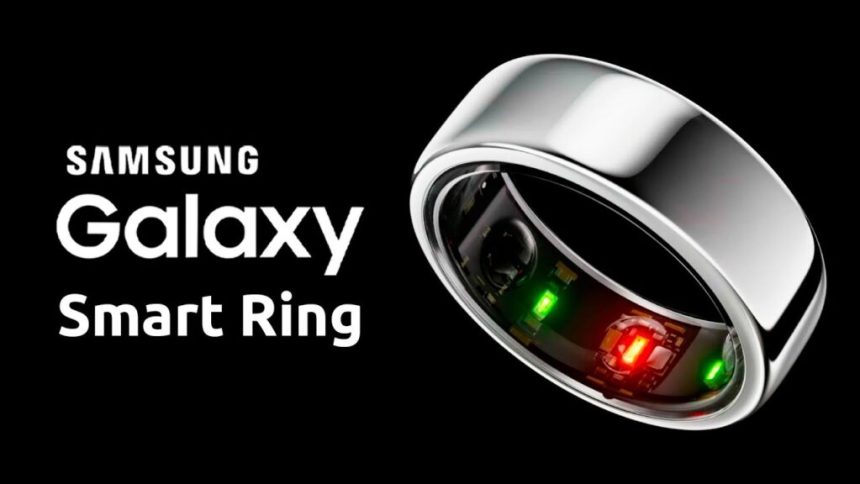
Samsung’s latest fitness wearable, the Galaxy Ring, has made a strong impression in the world of health tech. Designed to complement Samsung’s ecosystem of devices, including Galaxy smartphones and Galaxy Watches, the Galaxy Ring offers a minimalist approach to fitness tracking, perfect for those who prefer to avoid the constant notifications and buzzes from wrist-worn smartwatches. However, its true appeal lies in how it enhances the experience for users already within the Samsung ecosystem.
A Smooth Integration with Samsung Devices
Upon receiving my Galaxy Ring, I charged it up and synced it with the Samsung Health app, alongside my Galaxy Watch Ultra. The seamless integration between the devices is impressive — users can delegate certain tasks, like heart-rate monitoring, to either the watch or the ring, depending on which device they want to save battery life on. For instance, I assigned heart-rate tracking to the watch, and after two full days, the ring’s battery still stood at a healthy 97%.
This kind of cross-device synergy is remarkable — I can’t think of many other devices that work so harmoniously for such immediate and tangible improvements in the user experience. I did compare the Galaxy Ring’s measurements with the Apple Watch Ultra, but ultimately, I returned to the Galaxy Watch. The ring’s best performance was in tandem with the Galaxy Watch, making it the most appropriate scenario for testing.
First Impressions and Design
Out of the box, the Galaxy Ring makes a strong statement. The packaging is top-notch, with the ring arriving in a sleek, clear charging case that snaps securely shut. The USB-C charging port is a great touch, and I appreciate how the case prevents accidental falls — something that often happens with my Oura Ring. Additionally, the ring’s battery level is displayed on an LED ring around the charger, making it easy to check the charge. This is a feature that the Oura Ring lacks, as it only indicates whether the battery is full or not.
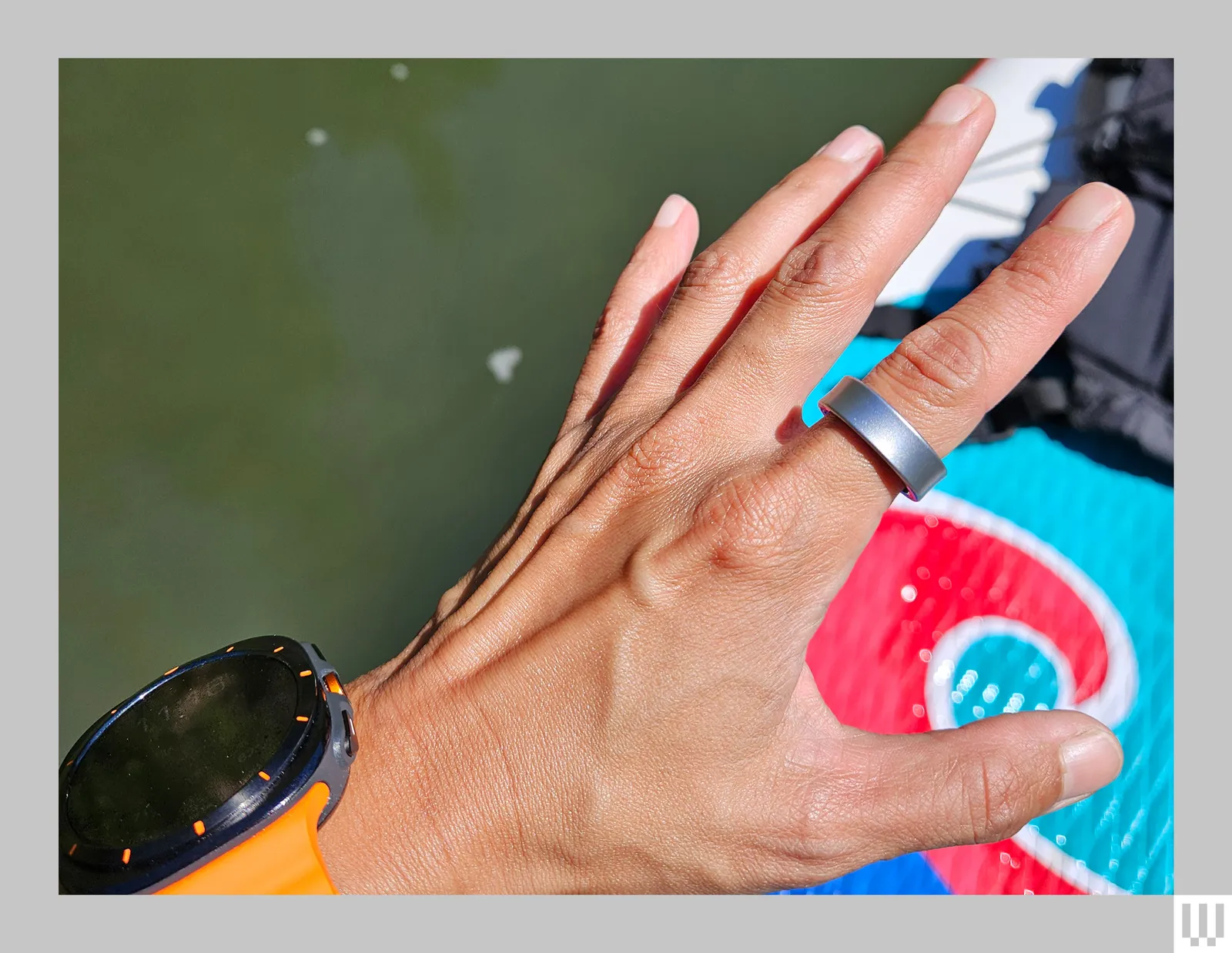
Made of durable titanium, the Galaxy Ring comes in three finishes, and I tested the titanium silver variant. It’s lightweight and noticeably thinner than other fitness rings, making it more comfortable to wear throughout the day. The ring houses an array of sensors on the inside, including photoplethysmography (PPG) sensors with three LEDs to monitor blood volume, an accelerometer, and a skin temperature sensor. Despite its advanced features, the sensors are so well-integrated that I can’t feel them when wearing the ring.
A standout feature is the “Find My Ring” option in the Samsung Health app, which helps you locate the ring by causing its LEDs to blink. While you can’t see the lights in daylight, it’s a thoughtful addition considering how easy it is to misplace small items like this.
The ring is water-resistant with a 10 ATM and IP68 rating, meaning I wore it while swimming and paddling with my kids without any issues.
Performance and Battery Life
Battery life depends on how much of the tracking you want the ring to handle independently. If paired with a Galaxy Watch, the ring lasts over a week. Without the watch, you can expect around 3-5 days of continuous tracking. This is a significant plus for users who already have a Galaxy Watch, as you won’t need to worry about frequent charging.
Health and Fitness Tracking Features
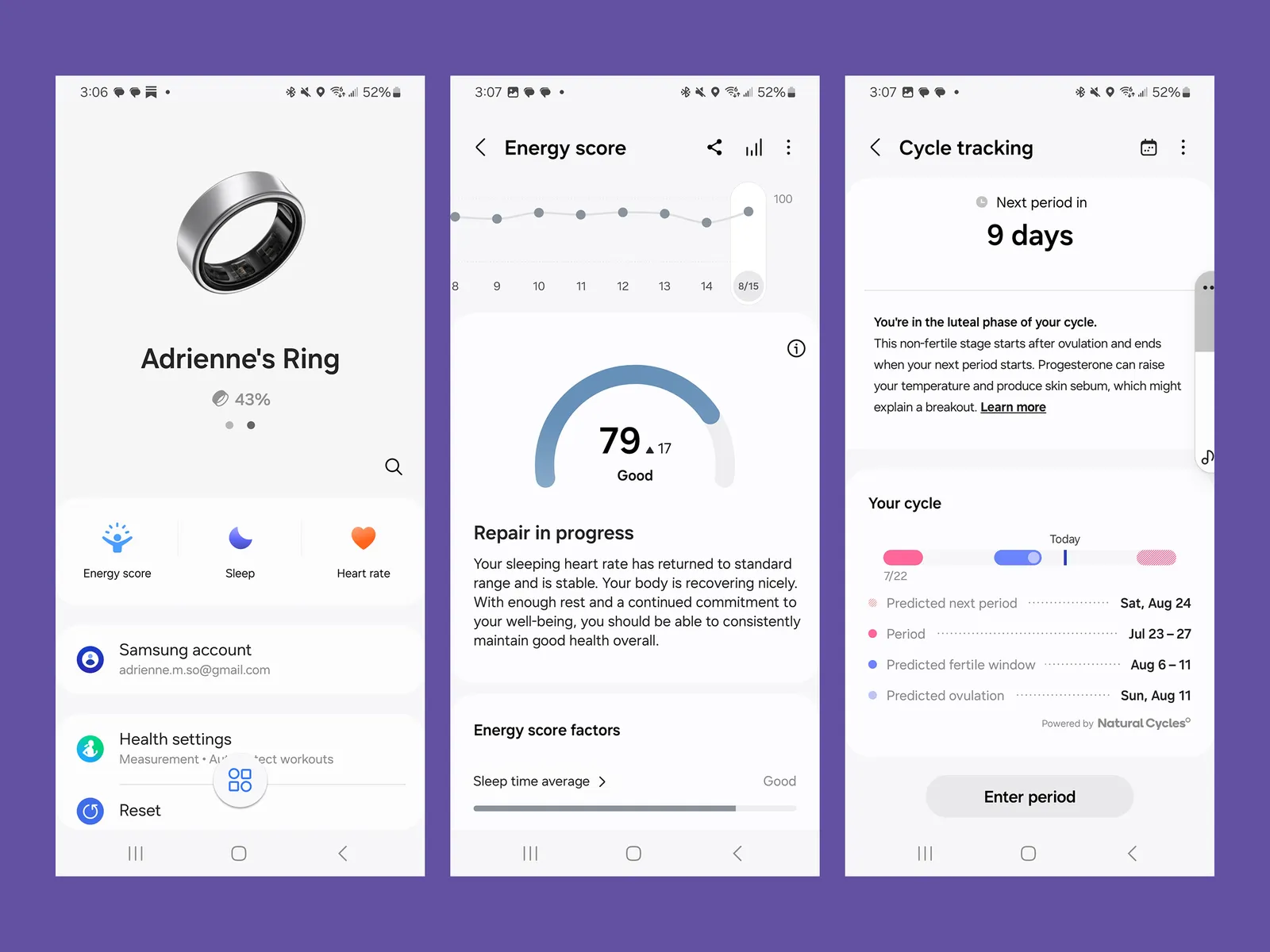
The Galaxy Ring tracks a similar set of metrics to the Oura Ring, such as Energy Score, which is comparable to Oura’s Readiness Score. This score combines various factors like sleep duration, consistency, and the previous day’s activity to provide a simple number indicating how ready you are for the day ahead.
In terms of sleep tracking, the ring gives detailed insights into your sleep stages, including how long you’ve been awake, your blood oxygen levels, and whether you’re snoring. It often records more sleep time than my Apple Watch Ultra, likely because the watch struggles to detect when I’m reading in bed rather than actually sleeping. The ring also features auto-detection of workouts, a feature I was pleasantly surprised to find after initially being told it wouldn’t be included.
Although the ring doesn’t have a gyroscope or GPS, it still does a respectable job at tracking workouts. It recorded my run as a bit longer than usual — a half-mile more than my usual 3.5-mile run, which threw off my pace.
Heart-rate readings were consistently lower on the Galaxy Ring compared to the Galaxy Watch Ultra, likely because the ring doesn’t pause tracking automatically (as the watch does when crossing streets). This caused some discrepancies in minute-by-minute readings, but when paired with the Galaxy Watch Ultra, the average heart rate was much more consistent.
One of the most impressive features was the Galaxy Ring’s ability to auto-detect pool time — something even the Apple Watch doesn’t always get right. Even more surprising, it classified this as a workout, despite my time in the pool being mostly spent diving around in circles rather than swimming laps. Additionally, the ring offers cycle tracking, powered by Natural Cycles, which uses skin temperature data to predict menstrual cycles. After wearing it for two weeks, the ring accurately predicted my period — a feature I previously only found in the Oura Ring.
Some Room for Improvement
While the Galaxy Ring is packed with features, there are a few areas where it could improve. For example, the wellness tips, which Samsung calls Booster Cards, are often generic and not particularly helpful. The Energy Score feature requires a Galaxy phone, so users with non-Samsung Android devices won’t have access to this metric, which could be a dealbreaker for some.
Exclusive Samsung Features
If you have a Samsung Galaxy phone, one of the most fun and unique features is the Double Pinch gesture, which lets you dismiss an alarm on your phone by pinching your Galaxy Ring-wearing finger. It’s a small but convenient feature that adds to the overall user experience.
Although the Galaxy Ring works well as a stand-alone wearable, it really shines when used alongside a Galaxy Watch and Galaxy phone. The combination provides a seamless experience, akin to what we’ve come to expect from Apple’s ecosystem. If you’re already invested in Samsung’s devices, the Galaxy Ring makes an attractive addition to your fitness and health toolkit.
Conclusion
The Samsung Galaxy Ring is a well-designed, lightweight wearable that offers excellent integration with Samsung’s broader ecosystem. While it’s not a full replacement for more feature-rich devices like the Galaxy Watch, it complements them perfectly, adding additional health and fitness metrics without overwhelming the user with constant notifications. For those who already own a Galaxy Watch and Galaxy phone, the Galaxy Ring is a valuable addition that enhances the overall experience. If you’re looking for a minimalist wearable that seamlessly integrates into your Samsung-based lifestyle, the Galaxy Ring is definitely worth considering.